
Alerts wherever you are
Desktop toasts and chimes when a session finishes or starts waiting, plus optional push to your phone via ntfy. Lock your machine and Perch can push every alert, so nothing sits waiting while you’re away.
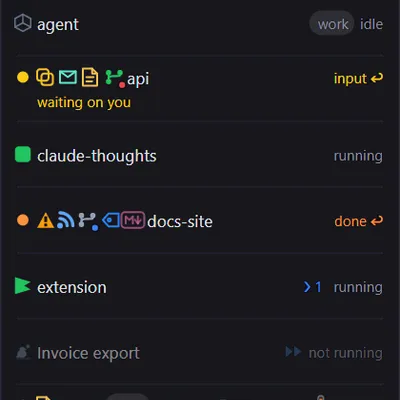
Running several Claude Code sessions at once means a lot of checking. Is that one finished? Is this one stuck on a permission prompt? Perch does the checking for you. It’s a Windows and macOS tray app that watches every session in the background, alerts you when one needs you, and gets you back to it in one click.
Every session sits in one of four states, shown in an always-on-top panel with counts in its header:
| State | What it means |
|---|---|
| Running | Working, with the current tool call and a timer under it. |
| Idle | Open, but not doing anything. |
| Waiting on you | Stopped on a permission prompt or a question. |
| Done | Finished, and not yet acknowledged. The panel flashes and a notification fires. |
Alerts wherever you are
Desktop toasts and chimes when a session finishes or starts waiting, plus optional push to your phone via ntfy. Lock your machine and Perch can push every alert, so nothing sits waiting while you’re away.
Ahead of your limits
5-hour, weekly and monthly-spend bars for each account, coloured by whether you’re on pace for the window.
Click a session in the panel, or click its notification, and Perch takes you to it:
The terminal
Perch brings forward the exact window the session is running in, not just the terminal app.
Your IDE
Sessions running in VS Code, Cursor or a JetBrains IDE bring that IDE forward, and can show its icon in place of the status dot. (Windows)
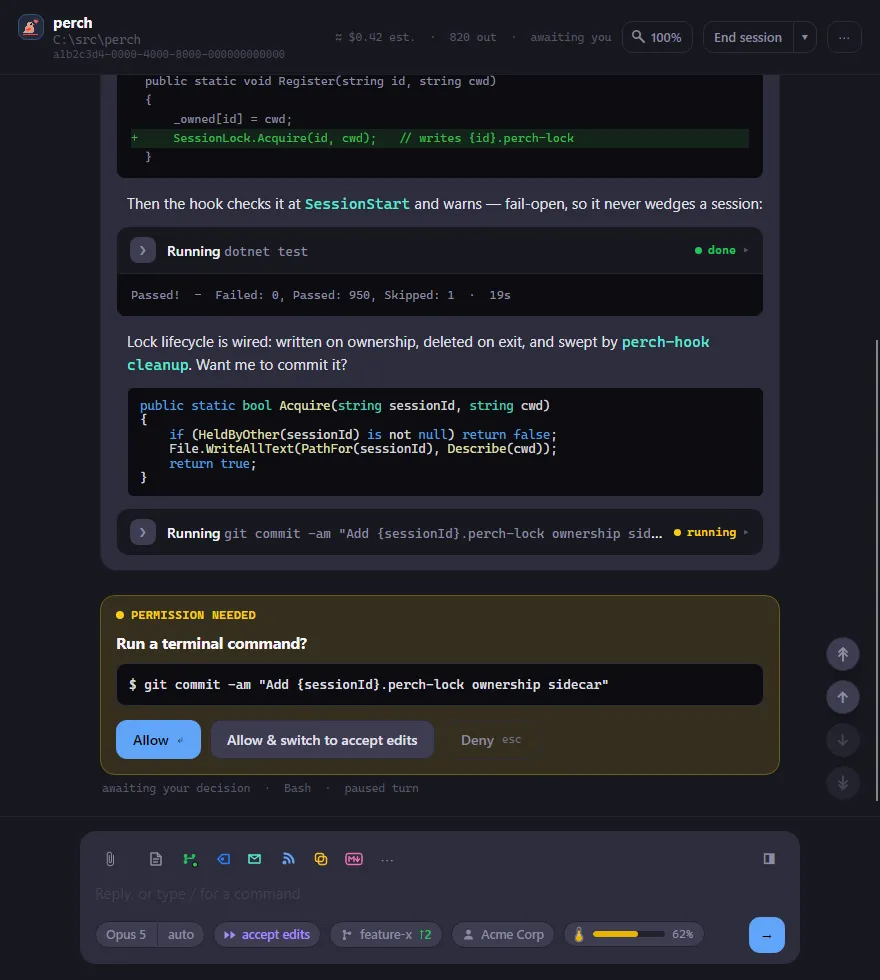
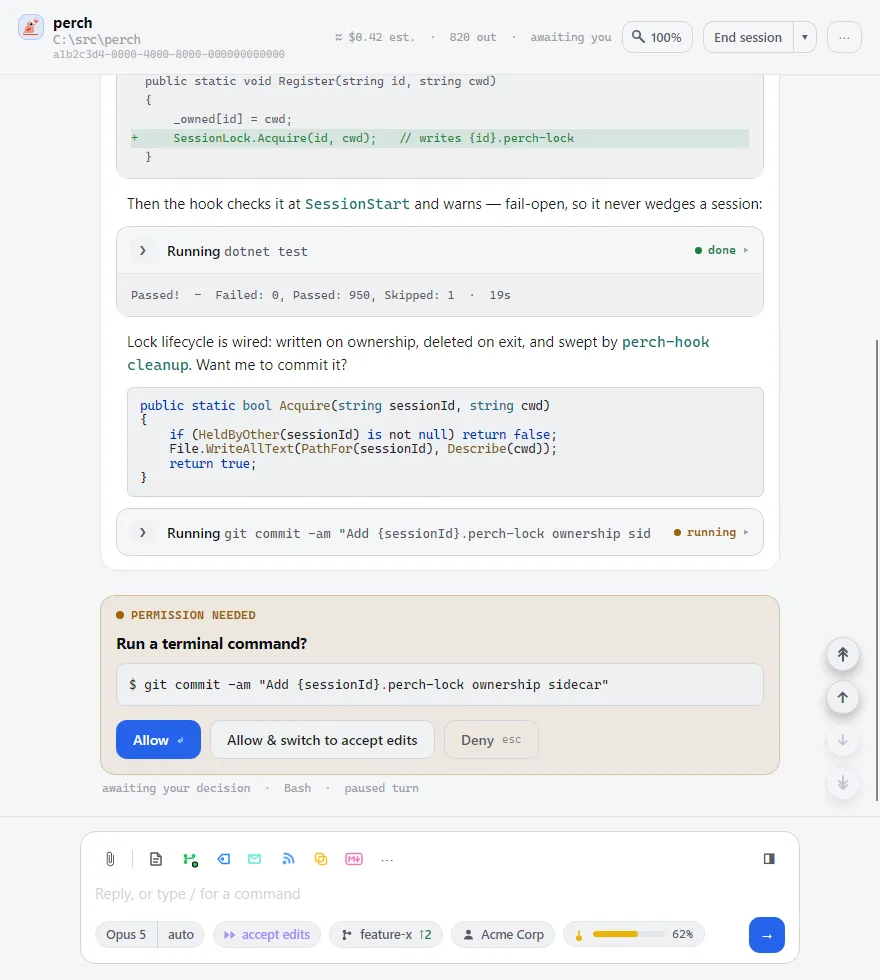
Perch can also start and drive Claude Code sessions itself, so you can answer without switching apps at all.
Approve prompts, reply, @-mention files, attach images and run slash commands. Tool calls show as readable cards, sub-agents get their own tabs, and a changed-files panel tracks what the session touched.
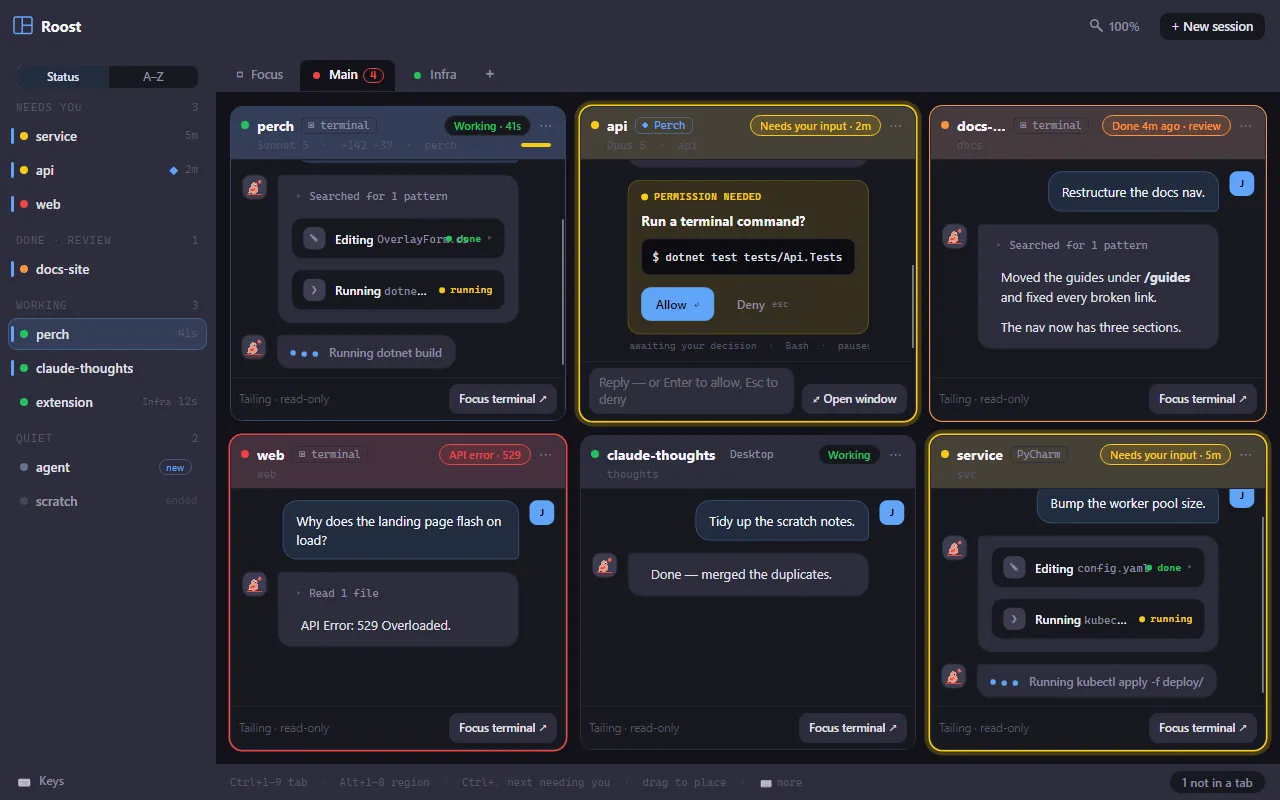
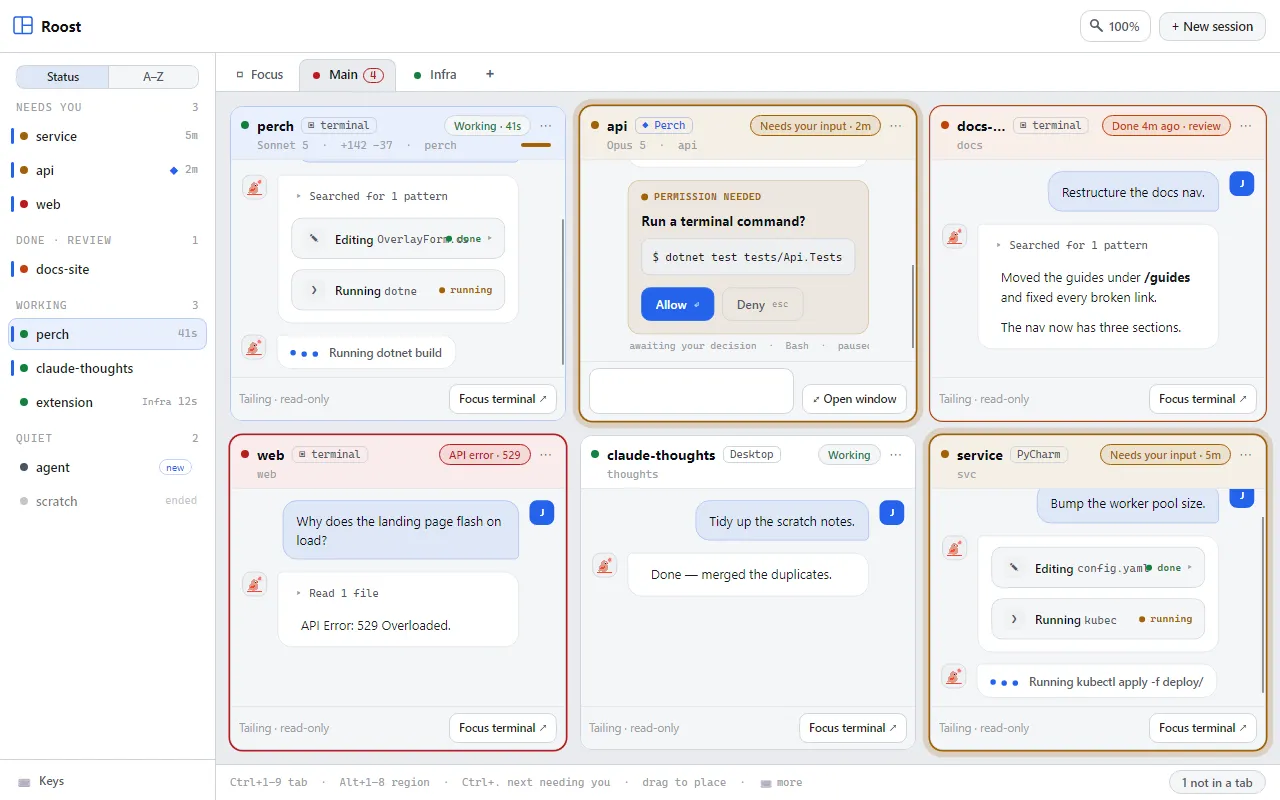
Every session side by side in one window, grouped into tabs, with the ones that need you sorted to the top. Answer a prompt right in its tile.
Stats
Sessions, active time, tokens and estimated cost by project, branch, tool and model.
History & search
Read any past transcript, or search across all of them.
Make it yours
Light and dark themes, a theme designer, a reorderable panel, and a searchable settings catalogue with a live preview.
Several accounts
Watch more than one Claude config directory at once, with a warning when a session is under the wrong account.
Perch reads Claude Code’s own files under ~/.claude/ and adds a few hooks to Claude Code’s settings for you
(no plugin to install). Your session contents never leave your machine. The only network calls are update
checks and the features you turn on. See Privacy for the full list.